APIs vs Browser Scraping for LinkedIn: Which Is Better for B2B Outbound?
A technical comparison of LinkedIn extraction methods. Learn the safety differences, rate limits, and cost implications of unofficial APIs versus headless browser scraping.
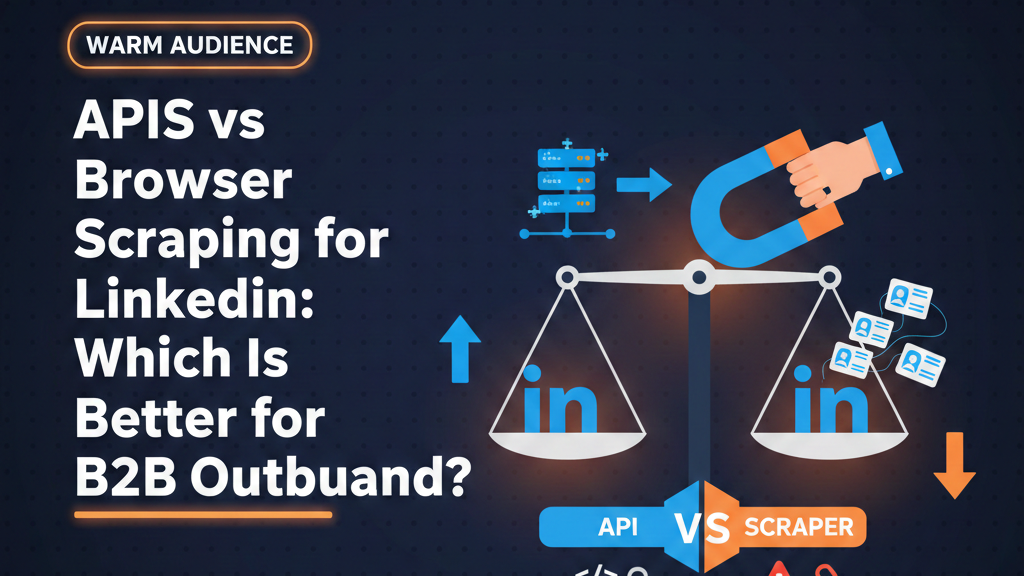
This is an advanced technical guide for developers, RevOps teams, and founders building data infrastructure. If you simply want to generate leads and don't care how the sausage is made, review the Zero-Dollar Lead Stack instead.
The Two Ways to Extract Data
When a B2B sales team decides they want to build an automated lead generation engine, they inevitably have a conversation about infrastructure. "How do we actually get the names out of LinkedIn and into HubSpot?"
Unless you are buying outdated lists from third-party data brokers, extracting pristine, real-time data from LinkedIn requires one of two fundamental technical approaches: Headless Browser Scraping or Unofficial API Interception.
Understanding the difference between these two methods is the difference between operating a safe, scalable multi-account pipeline (like the one detailed in our Multi-Account Scraping Guide) and getting your entire org's LinkedIn presence permanently banned.
How LinkedIn's Native Tech Stack Works
LinkedIn is a single-page application (SPA). When you navigate to a profile on LinkedIn.com, your browser downloads an empty shell. The real data (the person's name, job history, recent posts) is pulled dynamically from LinkedIn's backend servers via thousands of internal JSON API requests.
This architecture allows external developers to choose whether they want to mimic human clicks (the Browser method) or talk directly to the raw internal database feeds (the API method).
Method 1: Headless Browser Scraping (The Human Mimic)
Browser scraping is exactly what it sounds like. A server opens an actual instance of Google Chrome (or Firefox) — usually without the visual graphical interface, hence "headless." It loads LinkedIn.com, logs in using your session cookie, clicks on the search bar, types in a query, waits for the page to render perfectly, and then copies the text off the screen.
How Browser Scraping Works
The Puppeteer and Playwright Revolution
Five years ago, browser scraping was agonizingly slow and brittle, relying on tools like Selenium. Today, modern frameworks like Google's Puppeteer and Microsoft's Playwright allow developers to control Chromium browsers programmatically with massive precision. You can instruct the browser to simulate human mouse movements, jitter the typing speed, and randomize the scroll depth.
The Advantages of Browser Scraping
- Safety: Because it fires all standard browser events (executing JavaScript exactly the way a human browser would), it is incredibly difficult for LinkedIn's telemetry to prove it is a bot at the protocol level. It looks identical to a human sitting at a laptop using Google Chrome.
- Resilience to API changes: If LinkedIn changes the internal API endpoint for fetching a profile (e.g., from
/api/v2/profile/to/api/v3/user/), an API scraper instantly breaks. A browser scraper simply looks at the screen. As long as the name is still written visually in the<h1>tag at the top of the page, the scraper keeps working. - Execution of Complex Workflows: If you need an automation sequence that views a profile, clicks the "More" button, selects "Connect," and types a personalized note, this is only possible via browser automation mimicking human interaction.
The Drawbacks of Browser Scraping
- Compute Cost: Running a full instance of Chromium on a cloud server uses massive amounts of RAM and CPU. It is expensive. This is exactly why tools like PhantomBuster charge by execution time.
- Speed: It is incredibly slow. To mimic a human safely, the scraper must inject delays, wait for 5MB images to load, and scroll slowly. Scraping 1,000 profiles via browser might take 6 to 12 hours.
Method 2: Unofficial API Interception (The Direct Request)
LinkedIn does not offer an official public API for extracting lead data, because selling that data (via Sales Navigator) is a massive revenue stream for them.
However, your own web browser uses an API to get the data from LinkedIn's servers. Unofficial API Interception means you bypass the web browser entirely. You figure out the exact shape of the JSON request your browser sends to LinkedIn's servers, and you write a script to send that exact request directly from your Node.js or Python backend.
How Unofficial APIs Work
The Concept of Request Forgery
If you want to view a profile, your script formats a direct HTTP GET request specifying the profile ID, attaches your session cookie to prove you are logged in, and attaches specific headers (like the csrf-token) to prove the request is valid.
LinkedIn's servers receive the request, assume it came from a legitimate interaction, and return a clean, unrendered JSON file containing the prospect's entire data profile.
The Advantages of API Interception
- Unbelievable Speed: Because it does not download images, execute JavaScript, or wait for the DOM to render, a script can pull 100 profiles in 3 seconds. It is instantaneous.
- Zero Compute Cost: HTTP requests require virtually zero RAM or CPU. You can run massive data pipelines on a server that costs $5 a month.
- Pristine Data Architecture: You do not have to write fragile CSS selectors to extract text from a webpage. The API returns perfectly structured JSON (e.g.,
{"firstName": "John", "lastName": "Smith", "company": "Acme"}).
The Massive Drawback: Detection and Rate Limiting
APIs are built for speed, making them incredibly easy for anti-bot algorithms to catch. If an account associated with a human being suddenly sends 140 API requests for 140 different profiles in exactly 4 seconds, LinkedIn immediately flags the account for impossible human velocity and logs it out or restricts it. Furthermore, if LinkedIn changes a single header requirement in their internal API structure, your script breaks entirely until a developer figures out the new authentication geometry.
LinkedIn's Detection Mechanisms in 2026
When choosing a method, you must understand what you are defending against. As detailed in our Is LinkedIn Scraping Legal guide, avoiding platform detection is the fundamental challenge of building a lead engine.
IP Addresses and Fingerprinting
Regardless of which method you use, IP reputation dictates success. If you run a Playwright browser script or a direct API script from an AWS Data Center IP address located in Virginia, and the LinkedIn account belongs to an SDR based in London, the account will be flagged.
Both methods require Residential Proxies — routing the traffic through real home internet connections matching the geographic location of the account holder. (See the Multi-Account Guide for proxy setup).
Behavioral Velocity Tracking
LinkedIn logs the velocity of actions. A naive API script pulls data sequentially with no delays. A safe API script explicitly introduces mathematical variance (e.g., waiting between 14.5 and 31.2 seconds between exact API calls) to mimic the speed limits of human browsing. A browser scraper does this naturally because it is bottlenecked by the visual rendering of the page.
The CSRF Token Challenge
To prevent cross-site request forgery, LinkedIn issues unique security tokens. When using the Unofficial API method, your development team constantly has to ensure the script accurately intercepts and attaches the correct updated token. Without it, the API rejects the request. Browser scraping inherently handles this because the browser itself manages the security tokens natively.
Comparing the SaaS Tools You Already Use
Most B2B operators don't write the code themselves; they rent tools. But those tools use these underlying methods, which dictates their performance and pricing.
Why Waalaxy Uses Chrome Extensions
Waalaxy forces you to install a Chrome extension rather than running a cloud server. The Method: Local Browser Automation. By executing code directly in your actual browser, they solve the proxy problem perfectly (because it uses your actual home/office Wi-Fi) and the security token problem perfectly. The tradeoff is that your computer must be turned on to execute sequences. (Read the full Waalaxy Pricing & Architecture Guide for depth).
Why PhantomBuster Uses Cloud Browsers
PhantomBuster utilizes Headless Browser Scraping via the Cloud. The Method: Cloud Browser Scraping. They spin up a massive cluster of headless Chrome instances in the cloud, attach a proxy, and execute the scrape. Because they must run Chrome for you, their server costs are massive, which is why they charge based on execution time rather than successful data extraction.
Why Datasets Providers Use APIs
Data providers (like ZoomInfo or massive agency data teams) who promise "20 million B2B contacts" do not use browser scraping. It is mathematically impossible to scale. They use distributed Unofficial API interception across thousands of anonymous burner accounts to pull massive JSON payloads at machine speed.
How the BYOK Architecture Changes the Equation
The modern solution for B2B SaaS teams is the "Bring Your Own Key" (BYOK) architecture, primarily powered by infrastructure ecosystems like Apify.
Apify's Hybrid Approach
Apify allows individual developers to publish "Actors." Some actors use Puppeteer (browser), some use raw HTTP requests (API). The most effective LinkedIn extraction actors actually use a hybrid approach. They use a headless browser to safely negotiate the complex LinkedIn login sequence, solve occasional Captchas, and secure the session tokens. Then, they switch to API interception using those secured tokens to rip the JSON data out of the server rapidly and safely (with artificial delays), before switching back to the browser to conclude the session cleanly.
The Ultimate Setup: WarmAudience's Integration
This is where platforms like WarmAudience excel. By operating as a UI over top of an Apify key, you get the technical superiority of a hybrid API/Browser extraction engine, running safely through residential proxies on wholesale compute pricing, while interacting with a clean, agency-friendly dashboard. You bypass the execution-time billing of PhantomBuster and the "laptop-must-be-open" restriction of Waalaxy.
Building Your Own Custom Scraper: A Warning
If you are a CTO reading this and thinking, "I'll just write a quick Python script using Beautiful Soup and Requests this weekend," prepare for a nightmare.
The Cost of Proxy Maintenance
Writing the initial code to scrape a LinkedIn page takes four hours. Keeping it running takes a full-time DevSecOps position. You will have to constantly buy, rotate, and test residential proxies as LinkedIn inevitably bans sections of your proxy pool.
Selector Fragility and Broken Pipelines
If you use browser scraping, LinkedIn changes their CSS classes dynamically. A selector like .pv-top-card--list div.text-heading will suddenly turn into .sc-profile-header__title on a random Tuesday, breaking your entire pipeline silently while your SDRs sit idle waiting for leads.
You are almost always better off paying Apify developers fractions of a penny per extracted profile to maintain the maintenance codebase than you are assigning a $150k/yr engineer to fix broken CSS selectors.
The Risk of Cloud IP Blacklisting
One of the most insidious problems with API scraping is IP blacklisting. When you run a cloud-based server on AWS, DigitalOcean, or Google Cloud, the IP address assigned to that server is publicly known to belong to a datacenter.
If LinkedIn's security algorithms detect an authentication request or rapid API call originating from an AWS datacenter IP, it immediately triggers a high-risk security flag. The fundamental logic is undeniable: real human beings do not browse LinkedIn from within an Amazon server rack; they browse from their home Wi-Fi or corporate network.
Why Residential Proxies Are Mandatory
To successfully execute Unofficial API Interception at scale without burning accounts, infrastructure teams must tunnel their cloud server's API requests through Residential Proxies.
A Residential Proxy routes the traffic through a real IP address provided by an Internet Service Provider (ISP) to a homeowner (e.g., Comcast, AT&T, or Virgin Media). Because the IP address looks completely legitimate, it bypasses the initial datacenter firewall logic. However, high-quality residential proxies are overwhelmingly expensive, often charging per gigabyte of data transferred.
The Cost Equation: API vs Browser with Proxies
Because residential proxies charge by bandwidth (data transferred), the underlying method of extraction directly impacts your infrastructure cost.
If you use Headless Browser Scraping through a residential proxy, you are downloading the entire webpage structure, heavy CSS files, executing JavaScript bundles, and (unless aggressively blocked via Puppeteer parameters) potentially downloading profile images. A single profile scrape might consume 2MB of proxy bandwidth. If you scrape 10,000 profiles, you consume 20GB of premium residential proxy data, which can cost $100+ on top of your server costs.
If you use Unofficial API Interception through a residential proxy, you are only downloading raw JSON text. A single profile extraction might consume 5 kilobytes. You can scrape 10,000 profiles using barely 50MB of data, reducing your proxy expenses to literally pennies. This massive cost difference is why data brokers invest heavily in reverse-engineering mobile and desktop APIs rather than relying on browser automation.
Navigating the Grey Area: Compliance and Legal Precedent
While the technical mechanics of scraping are straightforward, the legal landscape surrounding them, particularly regarding APIs, is complex.
The famous HiQ Labs vs. LinkedIn court case initially established that scraping public data from LinkedIn does not violate the Computer Fraud and Abuse Act (CFAA) in the United States. However, subsequent rulings and the introduction of stricter terms of service have created a highly nuanced environment.
When you use Headless Browser Scraping, you are essentially creating an automated script that performs the same actions a human user would, generally interacting only with data that is visually presented and publicly accessible. While this still violates LinkedIn's User Agreement, it is often viewed as a less egregious technical violation than exploiting closed APIs.
When you use Unofficial API Interception, you are reverse-engineering proprietary communication channels designed exclusively for the platform's internal use. Some security analysts argue this crosses the line from simply "reading public data" into "exploiting unauthorized infrastructure," which carries a different risk profile.
For a comprehensive explanation of how this intersects with European data laws, ensure you review the GDPR & LinkedIn Scraping Compliance Guide.
Connecting the Extraction to Output (CRM Integrations)
Regardless of whether the data was extracted via a slow browser instance or a lightning-fast API request, the moment the data is in JSON or CSV format, the integration protocol is identical.
You must handle the deduplication logic, parse the variables, and trigger the webhooks as detailed in our comprehensive CRM Integration Guide for Pipedrive and HubSpot. Raw data from an API is useless if it simply creates duplicate records in your database.