Step-by-Step: Find 1,000+ B2B Leads on LinkedIn (No Coding Required)
A complete, no-code walkthrough for finding over 1,000 quality B2B leads on LinkedIn using WarmAudience and Apify. No dev skills needed.
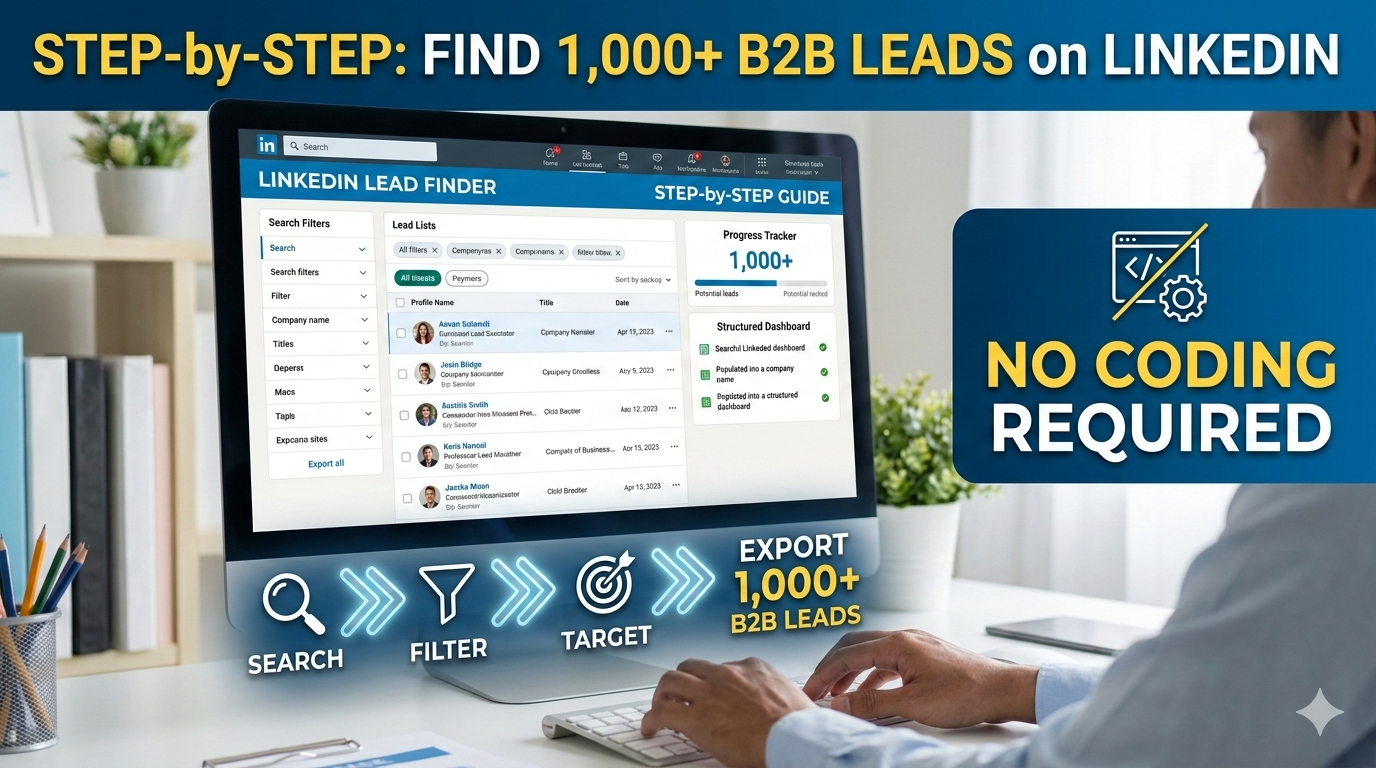
You don't need to write a single line of code to build a 1,000-person B2B lead list. This guide walks you through the exact process from zero to a full pipeline using tools that connect with a single click.
Why 1,000 Leads Used to Be Hard
Not long ago, building a list of 1,000 verified B2B leads was a massive project. You either had to hire an expensive data vendor, spend weeks manually scrolling LinkedIn, or pay for a high-tier Sales Navigator plan and export limits.
For most small teams and founders, getting to 1,000 leads meant months of grinding. You would find a person, copy their info into a spreadsheet, try to guess their email, and then start all over again. It was painful, slow, and inaccurate.
The tools that promised automation were either too complicated, too expensive, or both. They required developer knowledge or a monthly commitment that was hard to justify for an early-stage business.
But in 2026, this has completely changed. With the right setup, you can go from zero to 1,000 enriched, verified B2B profiles in a single afternoon. This guide shows you exactly how.
The Old Way vs The New Way
The old way was a manual grind. Find a profile. Copy the name. Find the company. Guess the email format. Verify the email. Repeat 1,000 times. The error rate was high and the cost in time was enormous.
The new way is different. You define your target. You run a search. A tool collects the profiles. Another tool finds the emails. You review and filter the results. The whole process takes a few hours instead of a few weeks.
The difference is not just speed. The accuracy is also much better. Automated tools pull fresh data directly from LinkedIn. The emails they find are verified in real time. You end up with a list that is cleaner and more reliable than anything you could do by hand.
Why No-Code Lead Generation is Now Possible
The no-code movement changed the game for sales teams. APIs that used to require a developer can now be connected with a simple copy and paste. Platforms like Apify made their tools accessible to non-technical users.
WarmAudience was built to take this even further. We wrap the technical complexity in a clean dashboard that any founder can use. You don't need to know what a JSON file is. You don't need to understand rate limiting. You just tell the tool who you want to find, and it handles the rest.
Before You Begin: What You Need
To follow this guide, you need three things. A free Apify account, a WarmAudience account, and a clear picture of who your ideal customer is. That's it.
You don't need a Sales Navigator subscription to get started, although it does help you find more specific targets. A free LinkedIn account is enough to find hundreds of quality leads per week.
Setting Up Your Apify Account
If you haven't done this yet, go to apify.com and create a free account. The signup takes about two minutes. They will send you a verification email.
Once you verify, you will see your dashboard. At this point, you have five dollars in free credits. These reset every month. For this tutorial, we will be staying inside that free limit the whole time.
Creating Your Free Account
When you sign up, Apify will ask you a few questions. You can select "Sales and Marketing" as your use case. This helps them show you relevant actors, but it does not affect your credits.
Avoid entering a payment method at this stage. You don't need to. The free tier is fully functional and does not require a credit card. Keep your billing clean until you are sure you want to upgrade.
Finding Your API Key
In the top right corner of the Apify dashboard, click on your profile icon. Select "Settings." Look for the "Integrations" tab. You will see a field called "Personal API token."
This is your API key. It looks like a long string of random characters starting with "apify_api_." Click the copy button next to it. Keep this key safe. Don't share it publicly. It is the key to your scraping infrastructure.
Connecting to WarmAudience
Now open your WarmAudience account. If you don't have one yet, sign up on our website. Navigate to the "Settings" page. You will see a section called "Integrations."
Pasting and Saving Your Key
Find the "Apify API Key" field. Paste the key you copied. Click "Save Connection." That's the entire technical setup. You are now ready to find leads without touching a line of code.
Testing the Connection
After saving, the app will automatically test the connection. You will see a small status indicator. If it shows green, you are all set. If it shows an error, double check that you copied the full key without any extra spaces.
Once the connection is live, all the scraping power of Apify is available to you directly from the WarmAudience dashboard. No more switching between tabs or managing complex settings.
Step One: Define Your Ideal Target Profile
Before you search for anyone, you need to know exactly who you are looking for. This is the most important step. A vague target leads to a messy list. A specific target leads to a clean, high-converting pipeline.
Think about your best current customers. What do they have in common? What are their job titles? How big are their companies? Where are they located? The more specific you can be, the better your results.
Job Title and Seniority
Job title is your most powerful filter. You want to target people who have the authority to make purchasing decisions. For most B2B sales, this means Director level and above.
Common good targets include "Head of Sales," "VP of Growth," "Founder," "Co-Founder," "Director of Marketing," and "Chief Revenue Officer." Avoid targeting "Analyst" or "Associate" roles if you need a decision maker. They can influence the deal, but they can't sign the contract.
Seniority matters because it also tells you how busy the person is. A C-suite executive has less time but more budget. A mid-level manager has more time to evaluate your tool but needs to get approval. Know which stage of the sales cycle your target fits in.
Industry and Company Size
Your tool probably works better for certain industries. A B2B sales tool is more valuable to a SaaS company than to a bakery. Focus your search on the industries where your customers see the most success.
Company size is also critical. If your pricing starts at 200 dollars a month, a two-person startup is probably not your buyer. Target companies with at least twenty employees. If your tool is enterprise, focus on companies with 200 or more.
WarmAudience lets you filter by company size directly in the search. This saves you from having to manually remove small companies later. Set the filter before you run the search to keep your list clean from the start.
Geography and Language
If your sales team only speaks English, there's no point reaching out to people whose entire profile is in Japanese. Set a geographic or language filter.
Most B2B tools start with English-speaking markets: the US, UK, Australia, and Canada. These are also the highest paying markets for most SaaS products. You can expand later once you have your process dialed in.
Step Two: Run Your First Keyword Search
Now you are ready to find people. Go to the "Search" tab in WarmAudience. You will see a text field for keywords. This is where you define who you are looking for.
Understanding Keyword Search vs Profile Scraping
Keyword search is like a reconnaissance mission. It gives you a broad list of matching profiles without doing a deep scrape on each one. This is great for discovering who is out there before you commit your credits to a full enrichment.
Profile scraping is the deep dive. You do this after keyword search, on a refined list of targets. This is where you get the detailed info: emails, company data, and social signals.
Always start with a keyword search. It costs very few credits and helps you validate that your target exists in the volume you need.
Choosing the Right Keywords
Use the same language your customers use. If your buyers call themselves "Growth Marketer," use that. If they call themselves "Performance Marketing Manager," use that instead.
You can also search by pain point. For example, "LinkedIn lead generation" or "B2B outreach" will surface people who are actively involved in that work. These are often better leads than just searching for a job title because they signal direct involvement in the process you are selling against.
Try two or three different keyword combinations. Run each as a separate search. Compare the results. You will often find that one combination gives you much better quality leads than another.
Reading the Search Results
After your search, you will see a list of matching profiles. Each one shows the name, headline, and LinkedIn URL. You can see how many results matched your query at the top of the screen.
Look at the first twenty results carefully. Are these the kind of people you want to talk to? If not, refine your keywords and try again. This review step is free—it costs no Apify credits.
Once you are happy with the quality of the results, select the ones you want to enrich. You can select all with one click, or choose them individually. We recommend selecting your top 200 for the first run.
Step Three: Bulk Scrape and Enrich
Now click "Enrich Selected." This is the step where the real work happens. WarmAudience sends the profile URLs to Apify. The actors visit each page and pull the data. The results flow back into your dashboard automatically.
What Happens During Enrichment
For each profile, the scraper captures three categories of data. First, identity data: full name, headline, LinkedIn URL, and profile photo. Second, professional context: current company, job title, location, and number of followers. Third, contact data: professional email address, if available.
This three-layer approach gives you everything you need to qualify and contact a lead. You know who they are, where they work, and how to reach them outside of LinkedIn. It is a complete prospect profile, not just a name on a list.
Email Verification Explained
Not all email finders are equal. Many tools give you "guessed" emails that bounce forty percent of the time. This destroys your email reputation and wastes your credits.
WarmAudience uses a verification step during enrichment. After finding a candidate email, the system checks if it is valid before saving it to your profile. Only verified emails appear in your lead list. Your bounce rate stays low, and your email reputation stays strong.
A low bounce rate is critical for cold email success. If your bounce rate goes above five percent, email providers like Google start to flag your domain. This is the kind of technical detail that many people learn about the hard way. We handle it for you from day one.
Enrichment Rate Tip
Not every profile will have a verified email. Typically, you can expect 60-75% email coverage on a well-targeted list. This is normal and industry-standard. Having 750 verified emails in a list of 1,000 is a great result.
Step Four: Filter and Score Your List
After enrichment, you have a raw list. Now you need to clean it. Not every profile that passes the keyword filter will be a perfect lead. This filtering step is what separates a mediocre list from a high-performing one.
Removing Low-Quality Profiles
Go to your profile list and apply the following filters. First, remove anyone who does not have a verified email. You can still reach them on LinkedIn, but for a bulk email campaign, you need a valid address.
Second, remove anyone whose headline suggests they are a student, job seeker, or in a completely unrelated role. Sometimes the keyword search picks up these edge cases.
Third, check for duplicates. If you ran multiple keyword searches, you might have the same person in your list twice. Our app flags duplicates automatically, but it is worth doing a final check.
Prioritizing High-Intent Signals
After cleaning, sort your list by "Recent Activity." Profiles that have posted or commented recently are the highest value. They are actively engaged on the platform, which means they are more likely to see your message.
Also look for profiles that follow a lot of industry leaders or have a large number of connections. These people are deeply embedded in the professional ecosystem. They are usually good connectors and influential buyers.
Create a simple priority tier. "A Leads" are recent, enriched, and in your ideal company size. "B Leads" are enriched but less active or in a slightly off-target company. "C Leads" are anyone else. Start your outreach with the A-tier.
Step Five: Export and Plug Into Your CRM
Once your list is filtered and prioritized, it is time to move it into your sales workflow. The best leads in the world do nothing for you if they sit in a tool that no one checks.
Exporting as CSV
Click "Export" in the top right of your profile list. Choose "CSV" as the format. The file will download in seconds. It includes all the data from your enrichment: name, email, LinkedIn URL, company, title, and location.
This file is the foundation of your campaign. Keep a backup of it. Name it with the date and the search parameters so you can find it later.
Setting Up Your Pipeline in HubSpot or Pipedrive
Open HubSpot or Pipedrive. Go to the contacts or people section. Look for an "Import" button. Upload your CSV file. Map the columns to the right CRM fields. This takes about five minutes the first time.
Once imported, you will see all 1,000 leads (or however many you collected) inside your CRM. Add them to a specific list or pipeline stage called "New LinkedIn Leads." This keeps them separate from your existing contacts and makes it easy to track progress.
Building the Outreach Campaign
Now the pipeline is ready. The next step is to talk to these people. Do not blast them all on day one. That is not how relationships work.
Multi-Channel Outreach in 2026
In 2026, the best outreach uses two channels. First LinkedIn, then email. This two-touch approach respects the platform norms and gives you redundancy. If they don't see your LinkedIn message, they might see your email.
Start with a LinkedIn connection request. Keep the note short and personal. Mention something specific from their profile. Mention that you work in the same space. Make it feel like a natural professional connection, not a sales pitch.
After they accept, wait two days. Then send a brief LinkedIn message. This is your actual outreach. Keep it under 100 words. Focus on a problem you know they have, based on their profile data.
LinkedIn First, Email Second
After the LinkedIn message, wait four days. If they haven't replied, send your email. The email can be slightly longer, but still conversational. Mention that you connected on LinkedIn. This adds credibility and context.
This sequence respects the prospect's pace. You are not bombarding them. You are gently making yourself known across two professional channels. It's the digital equivalent of meeting someone at a conference and then following up the next week.
Writing Messages That Get Replies
The golden rule is: make it about them, not about you. Don't open with "Hi, I'm from WarmAudience and we help companies find leads." Open with "Hi [Name], I noticed you have been growing [Company Name]'s sales team. Curious how you are currently handling the prospecting side?"
This question does three things. It proves you looked at their profile. It references a pain point they are likely experiencing. And it invites a reply without pushing a product. When you write like this, your reply rate goes up dramatically.
For more on crafting outreach that lands, see our guide on scraping LinkedIn post engagement. It shows you how to use intent signals to write outreach that feels hand-written — even when it isn't.
Scaling to 1,000 Leads and Beyond
You don't get to 1,000 leads in one day. You build the list over time, using a consistent weekly process. Think of it like going to the gym. One session won't transform your body. But thirty sessions over two months will.
The Weekly Rhythm That Works
Pick one day a week for lead generation. Let's say Tuesday morning. Every Tuesday, spend sixty minutes running a new search. Pick 150 to 200 new profiles. Enrich them. Filter the results. Add them to your CRM.
If you do this every week for five weeks, you have your 1,000 leads. More importantly, you have a process. You know how it works. You can make it faster each week. You can delegate it to someone on your team.
This "slow and steady" approach also prevents LinkedIn from flagging your account. You never spike. You never do a massive rush. You just grow steadily and safely.
Automating the Refill
Once your initial list is built, you need to keep it fresh. Old leads go cold. People change jobs. Companies get acquired. Your list needs a constant drip of new names.
Set a reminder to check your "A Lead" pipeline every two weeks. Any lead that has been in the pipeline for more than 60 days without a response moves to "Archived." This keeps your active pipeline focused on warm opportunities.
Then schedule a new scrape to replace those archived leads. By keeping this cycle going, your pipeline is always fresh and always growing. This is how top sales teams build a machine that never stops.
If you want to see how this entire system fits together, start from the beginning with our free LinkedIn leads guide. It explains the BYOK model from scratch so you understand exactly where your data comes from.
Frequently Asked Questions
Frequently Asked Questions
Conclusion: Your First 1,000 Leads Are Waiting
The technology is ready. The process is clear. The only thing standing between you and a 1,000-person B2B lead list is taking the first step.
Start with your Apify account today. Connect it to WarmAudience in five minutes. Run your first keyword search. See the results. You will find that the people you are looking for are already out there, waiting to be discovered.
Build the habit before you build the list. Once the weekly process is in place, the numbers take care of themselves. One year from now, you will have a lead database that most companies would pay thousands of dollars to buy. And you will have built it for nearly nothing.